Tinkering with the CPC is indeed complicated. The fluctuation is influenced by many factors. According to the Adsense experts (oath not me), the low cost of advertising is most often caused by the things below.
State or Geography
Worldwide, the price of mobile phones certainly varies. So is the click price. If you target audiences in countries with cheap click values, surely CPC also suffers.
Niche Web
Niche has a big influence on the value of CPC. There are several niches with an average CPC lower than others. Rates for clicking on ads on blog property (real estate) are not necessarily the same as game blogs.
The problem is that the conversion of ad clicks from the audience is sometimes often interrupted by ad-blocker plugins installed on the user's browser.
Promo program
The promo program is a golden opportunity for advertisers to get a profit boom through advertising on the website. Not infrequently, well-known brands are pushing ads in AdWords.
Based on the RTB algorithm (real time bidding), many products participate in "complaining". This surge in advertizer is believed to weaken advertising rates on related products.
Mobile Platform
It's no secret, a lot of web traffic comes from cellphones. You pay attention to this article can be via a mobile device. If your website is not responsive, let alone rank on SERP's - your CPC can also fall. Video Ads
Video ads are like a double-edged sword for CPC. According to Google, TrueView YouTube ads cause a significant decrease in CPC values on all platforms.
But in fact, currently video ads are widely used by advertisers. By placing it on YouTube rather than on the website, From here Google can save advertisers costs. In effect, the value of the CPC experiences 'poor nutrition'.
Ad targeting
Jenis penargetan mempengaruhi tingkat CTR dan nilai CPC bagi publisher.
Adsense bekerja melalui perayapan konten di halaman web. Saat perayap kesulitan mengidentifikasi konten web Anda, iklan yang muncul ngga akan nyambung dengan isi konten sehingga ongkos kliknya pun susah ditebak.
Blocking ads
AdSense frees the publisher to choose what ads appear. Select ads that you want to ‘be eliminated‘ through a list of blocked ads.
But remember, blocking one impact advertiser can reduce competition for all your ad inventory.
Annual moment
During the holiday season, CPC fluctuates as many advertisers change budget planning. Advertisers want to click as much as possible, even though the quality is low.
They are willing to throw money at a cheap click rate because they know Google will place the ad anywhere.
Ad size and quantity
Each ad unit has a different performance. Error choosing the size of the ad (without conversion), and determining the number of ads installed can undermine your CPC value.
Ad placement
Google wants your web users to click on as many ads as possible in the format of placement of ads that are correct according to the rules. In this case the publisher is prohibited from cheating the user.
Unfortunately, publishers are sometimes indifferent even though the consequences of the CPC drop or even revenue is lost due to sanctions.
Smart Pricing
If unconverted ad clicks become business transactions, Google smart pricing will apply to all of your accounts. The result? CPC fees are guaranteed to drop..
How to Increase the CPC of Google AdSense ads
I remind you once again, increasing CPC (cost per click) Adsense ads is not an easy matter. Just one or two actions have not guaranteed the CPC is fat right away.
You must be smart to read the behavior of ads from scattered pieces of elements. To support it, here are 12 tips that you can begin to apply.
1. Shoot longtail keywords - expensive rates
For ad serving, Google still relies on keywords. This is good news for publishers. That is, the opportunity to target the keyword jumbo longtail rates is still wide open.
Optimize the performance of your AdSense keywords like a stockbroker. Enter the high CPC keywords in the content that you make.
There are several keywords that can contribute hundreds of dollars for a single click. However, you don't insist on stuffing with it. The contents of the page must remain relevant and have quality. If not, the Smart Pricing algorithm can actually KO your CPC value.
To be more effective, use tools such as SEMRush or LongTailPro. Find high tariff phrases that are suitable for your audience. 2. Promote High Earning Content
Try searching for your blog. Find content that has higher CTR and CPC than other content.
If you have found it, install the content as the "Featured Entry" widget. The goal is to stimulate the growth of all your ad inventory.
How do you run it, bro? Easy.
Enter the Search Console -> Search Traffic -> Browse Analytic. The page that appears is the input of keywords from visitors in Google search results that point to your website.
The next task, find keywords with high CTR. Develop your smart idea to continue to explore where the gold content is.
If you find articles on topics that lead to CPC jumbo, immediately create derivative articles according to existing keywords.
3. Use the best ad sizes
Adsense experts agree, the size and placement of ads contribute to the highest CPC. Google also shows where the best-performing ad sizes are.
To find out the size of the ad with the highest CPC value, play a variety of existing ad choices. But according to Google, the most optimal ad sizes are 720x90, 336x280, 160x600, and 320x100 cellular banners.
Start experimenting with the size suggested by Google. When the results are not enough, you can start by testing the variations in the size of your own ad.
The best way to determine the size of an ad unit is through experimentation.
4. Take advantage of the Adsense Ad Review Center
Don't get me wrong, there is also a clueless advertizer (hard to understand). Whether intentionally or not, they designed the appearance of bad ads. Make people BeTe and lazy.
As a publisher, you have complete control of the 'ride' product promotion on your website. Choose only ads that want to pay dearly.
But remember, don't block ads that shouldn't be blocked. If there is too much ad blocking, CPC can actually go down because the number of advertisers in the auction bidding on your inventory decreases.
Use the Adsense ad review center to block ads that deserve to be blocked.
5. The Most Competitive Ad Filter
Still in the Ad Review Center, Ad Filter aims to filter out unwanted advertisements. You may block ads for certain domains or for all AdSense accounts.
This method in addition to increasing CPC also prevents your audience from turning to other websites just because of annoying ads.
6. Mobile friendly ad settings
Besides being important for SEO, mobile advertising also plays a role in the CPC. Many advertizers dare to pay dearly for cellular clicks through the installation of exclusive mobile application advertisements.
For that, choose responsive ads. Or create a mobile ad unit separately specifically for the layout of your content on a small size screen.
Create a separate AdSense setup for mobile.
7. Link the Analytics and AdSense accounts
AdSense reports give you a lot of information. But, in Analytics you can get more than that.
"Hot spots" pages that visitors often click on are clearly displayed. From there you can know high CPC traffic. Where it came from and where it came from.
If your Adsense is not connected to a Google Analytics account, marry now.
8. You have to "Googley"
Googley means integrating with Google.
So, just synchronizing with Analytics is not enough. Google prioritizes loyal publishers. They need a dedication.
As much as possible, register your Gmail account with Google products. Including Webmaster Tools, Google Business, Youtube Channel, Google Tag Manager, etc.
The more you curl up to Google, the more AdSense puts you in "trust" with advertisers who have higher pay. Makes sense right?
9. Avoid Smart Pricing with qualify traffic
If you may theorize, "visitors who are not interested in your niche, it is impossible to click on an ad".
So, to control the advertising CPC value, make sure your traffic meets the requirements.
CPC won't budge when people click on ads that aren't related to the keywords or phrases they use when landing on your site. Maybe visitors only click on ads without any intention of buying.
Just to remember, the Google Adsense TOS is now getting tougher. Accounts can be suspended if there are too many clicks on your site without conversion to sales.
The reason is simple.
Advertisers are Adsense partners who always want high ROI. In any way, they will ensure that the money that comes out must bring the best conversion value from a click.
This is the importance of the relevance of web pages with certain keywords in order to synchronize ads with target keywords.
If not, Google has its own way of analyzing your site's performance. As a result, a high CPC can function without being asked.
The relevance of content will increase the value of AdSense CPC
10. Adjust the number of ads with Content Length
First publishers may only install 3 ad units on one page. That is now no longer valid. Now Adsense allows you to install more than that.
With this new policy, it does not mean that you can cast advertisements. Remember, Google aports ads according to their content. In other words, the number of ads must match the length of the content.
If your web page contains short content, just install a maximum of 1-2 ad units. But if more than 1000 words (long content), you can install 3 ad units at a time or more.
Tough content but scattered ads can cause ads that appear not relevant to your niche. This condition can reduce the CPC drastically.
No need to be lustful. Many people "win a lot" with just one ad unit on their short content page. Logically, all ads will focus on topics with higher CPCs.
11. Use AdSense Channel
Test through the AdSense channel. Create custom channels to target CPC and CTR ad units.
Measure the performance of each channel for a period of 2-4 weeks. From the results of the experiment, design your Adsense strategy. Remove unproductive ads, or rotation of position.
Google will reward high CPCs on the best performing ads. That's because advertisers pay for maximum exposure.
In addition, the Adsense channel can also be used to compare the performance of each ad size.
12. Learn the Heat Maps
Heat Maps is a representation of a web page that shows the tendency of visitors to spend their time on a site.
Heat Maps gives an indication when the user's mouse is dancing hovering above your web page. Even in the updated version (ClickTale, Crazy Egg, etc) you can find out where they clicked.
With Heat Maps you can place AdSense Ads in the most popular areas on your site to increase the chances of clicks, increase CTR, and of course make earnings more fat.
Worried about misplacing your phone or (worse yet) having it stolen? Ease your fears and set up a tracking system before your worst case scenario strikes. You'll get the best results if your phone is connected to a Wi-Fi signal but GPS and mobile networks will still manage to pinpoint a fairly accurate location. You must also have a Google account for virtually all of the tracking services available, whether they are built in or downloaded.
Most Android phones now come with Find My Device (formerly Android Device Manager) built in. This service will automatically track your phone's location, so if it ever goes missing you can hop on your laptop or a friend's phone and find its last known location, ring your phone if it's nearby and you need a hint, or lock and/or erase your phone if you fear it has been stolen. The most important thing you can do is make sure your phone is set up to be found before it goes missing. Otherwise, you're basically on your own.
How to enable Find My Device on your phone
In newer Android phones, a shortcut to the Find My Device service is already located conveniently in your Settings app, but you might still need to download Find My Device from the Google Play Store to get it set up. This locating service has essentially amalgamated with Google to make finding your phone easier. There are just a couple of things you'll need to activate.
Launch Settings.
Tap Security & lock screen.
Tap Device administrator
Tap Find My Device so that a checkmark appears in the checkbox.
Tap the back button in the top left corner of your screen.
Tap the back button again in the top left corner to return to the main Settings menu.
Tap Location in the main Settings menu.
Tap the switch beside Location at the top of the screen so that it turns on.
Tap Mode.
Tap High accuracy so the circle is filled in.
Tap the back button in the top left corner.
Tap Google Location History.
Tap the switch beneath Location History so that it turns on.
Tap the switch beside your device so that it turns on.
How to locate your phone with Google
Should you happen to lose your phone, you can locate its whereabouts by logging into your Google account from any computer or even from another phone.
Launch a web browser from a phone, tablet, or computer.
If necessary, enter your email address and password just as though you were checking your email. If you have 2-step verification set up on your Google account (and you most certainly should), you'll need to complete that process as well.
With Find My Device open, you have three options to choose from:
You can play a sound so that it makes noise (even if you had it on silent). This feature is helpful if the map indicates that the phone is within earshot and you simply can't see it.
You can secure your device so that the finder can't access your home screen. This feature is most helpful if your phone wasn't previously secured with a passcode or a fingerprint sensor.
You can erase your phone. This is the best option if you know for certain that you aren't likely to retrieve your phone.
If you are trying to locate your phone with Find My Device and it doesn't seem to be working, the most likely cause is that your phone is not currently connected to Wi-Fi or an available network. In this case, it's important to keep trying; the moment your phone does make that connection, it will appear on the map. If you want to download a tracking app for fear of a missing phone crisis, there are a number of options to choose from, and we're highlighting some choice picks for you. This is only a selection of the features available in Find My Device. Hit the guide below for more! Find My Device: Everything you need to know!
Locate your phone in your house using Google Home
It's embarrassingly easy to lose your phone by putting it down somewhere in your house and forgetting where you placed it. This can be frustrating if it's time to leave for work or some other appointment and you're frantically scrambling around your home looking for it. If you own a Google Home speaker, you can use Google Assistant to help find your phone. Your Android phone must be logged into the same Google account as your Google Home speaker, you must have linked your Google account and voice to your Google Home via the Home app, and your phone must be turned on and connected to the internet either via mobile data or Wi-Fi. You will also need to have Find My Device turned on, which you should absolutely activate for any Android phone you're using. As long as your phone is still on and connected to the Internet, all you need to do is say "okay Google, find my phone," and Google will confirm which device you want to find and then turn the ringer on — even if you have your phone set to silent. With Google Home's multi-user support, everyone in your home can use Google Home to find their phones if they're lost as long as they've linked their Google Accounts to Google Home using Voice Match.
Find your phone with third-party apps
While Google's built-in option is definitely your best bet, there are some third-party options you might want to consider. We've broken down the best third-party apps for finding your phone below.
Family Locator
The Family Locator app by Life360 is essentially a GPS tracker for phones but is especially useful for families with multiple phones in use. Your family members become a "Circle", the app's name for a closed group of people who consent to have their phones tracked in real time. Your family members will appear on live maps within the app as little icons so that you can see where everyone is at any given moment. The app also allows you to chat with people in your Circle or broadcast a meeting time and location. And, of course, if a phone from within your Circle is ever lost or stolen, the app will track it on the map. Download: Family Locator (Free with in-app purchases)
Cerberus anti theft
This locator app from Cerberus offers an impressive array of remote control features if you find your phone has been lost or stolen. You'll still be able to lock, ring, or erase your phone, but you'll also be able to remotely access your camera or sound a loud alarm from your phone, even if it was on silent mode when you lost it. The advanced features allow you to hide Cerberus in your app drawer so that it can't be detected if and when your phone is found or stolen. Your missing phone will transmit data to you via the Cerberus website or via SMS text from another phone with the Cerberus app installed. Download: Cerberus anti theft (Free with in-app purchases)
Prey Anti Theft
The Prey Anti Theft app is impressive in that three different devices can be protected through one download. You'll have the ability to sound an alarm from your missing phone, take screenshots if it's in use, and lock down the device the moment you realize it's missing. Once you've downloaded the app, it will walk you through a series of tutorials to show you how to use your Prey Account to track your phone. The app itself is free and doesn't require additional purchases in order to access the high-end features. Download: Prey Anti Theft (Free)
Lost Android
Lost Android will allow you to have remote access to your missing phone via their website. Here, you'll be able to erase sensitive information if you fear that your phone may never be returned, or send messages to your phone in the hopes of someone finding and returning it. Additionally, you can choose to remotely forward any calls you may be missing to another number and record a running list of any calls or messages made or photos taken with your phone. Download: Lost Android (Free with in-app purchases)
Where's My Droid
The basic features of the Where's My Droid app allow you to ring your phone if you misplace it, locate it via GPS on Google Maps, and use a passcode to prevent unauthorized changes to apps on your Android phone. Stealth Mode also prevents anyone who finds your phone from seeing your incoming text messages; instead, they'll see a customizable attention word that alerts them of the phone's lost or stolen status. The Pro version of the app, which you pay to use, lets you remotely wipe data from your phone, use a landline to access your phone, and remotely lock the device. Download: Where's My Droid (Free with in-app purchases)
The best solution
Google's phone location tools are your best bet — as long as you've gone through the process of setting things up ahead of time. Really, this should be something you set up on any device you care about or that will have sensitive data stored on it, especially with how easy Google has made it to locate your device should you lose it. Of course, one of the benefits of Android is having the freedom to customize your experience as you see fit. If for whatever reason Google's offering just doesn't cut it for you, you should consider the third-party options we've highlighted above, as they include some clever features that might give you some added peace of mind if your device goes missing. If your phone is stolen or found and it's then factory reset, you will not be able to rely on any apps or services to find it; a factory reset will wipe out any of the original data, accounts, or passwords that are needed to remotely find your Android phone. As always, exercise caution when retrieving a lost or stolen phone. If you have any concerns about it being lost or stolen, it's best to set up and test your preferred tracking system as soon as you buy it and contact the police. It can be a bit of extra front-end work to register some apps, but it will be more work trying to locate a missing phone if no safety nets are in place at all
Here are some of the best Google Adsense Alternatives you can try to monetize your website without using Google Adsense, and I’ll tell you how they work and why you should consider them, so let’s start:
If you’re looking for the most similar Adsense Alternative, here you have it: The Adsense for Yahoo and Bing. Media.net is an industry-leading technology company that develops innovative digital advertising products for both publishers and advertisers. They have over 500 employees in key operation centers across – New York, Los Angeles, Dubai, Zurich, Mumbai & Bangalore.
By Revenue, Media.net runs the #2 largest contextual ads program globally. Media.net powers the Yahoo! Bing Network Contextual Ads program. Media.net exclusively manages technology, business operations and relationships with respect to publishers worldwide for this program. Today, Media.net is a leading global contextual advertising company that provides a wide range of advertising and traffic monetization solutions to a substantial and diversified client base. With more than 500 employees, Media.net has one of the largest teams worldwide building a global contextual advertising business. Plus, they take 2 days on average to get your account approved and will give you an extra 10% over your earnings the first 3 months! (way better than waiting weeks for an Adsense approval). Sign up here.
Propeller Ads is one of the biggest pop-under networks available. They started working in 2011 and quickly developed into one of the biggest networks with great CPMs. They specialize in monetizing websites for the following niches: entertainment, videos/movies, games, dating, finances, software, gambling and more. If you’ve got one of this sites, you could make more money with Propeller than with Adsense. They also have banners but the pop unders work better overall. Also, if you’ve got mobile traffic, they’re a great Adsense alternative as they work closely with ad networks that monetize apps and mobile services leading to huge ROIs and great CPMs too.
Propeller pays on a NET 30 basis and they have a great fill rate for tier 2-3 countries. So if you’re struggling to monetize traffic from countries like India, Singapore, Turkey, South Africa, etc. Propeller has a big inventory for them too. Sign up as a Publisher with Propeller Ads here.
Revcontent is a Native Ads Network with some of the best quality ads and approval process in the industry. Native Ads have super high engagement vs. regular banners and they blend pretty well with your blog or website as they just look like related articles. Revcontent has great CPCs, paying 1-10 cents per each click and having a super wide network of advertisers from all over the world. Revcontent will pay you more revenue share and make your approval process faster if you sign up from a referral link. Click here to create your publishers account.
Some of the biggest websites in the world like Forbes and PCworld use Revcontent to add revenue to their Adsense earnings. Revcontent is a networks you should definitely try and you can easily mix it with other networks in this list to improve your earnings. Sign up here.
PopAds is a performance network specialized in Pop Unders. They have good rates and they can monetize all countries. Something great about PopAds is that they can pay daily as long as you earn $5 or more per day.
Their quality is good, and they also have pop ups, tab ups/unders and other monetization methods. Their approvals are easy and setting your ads takes just a few minutes. Sign up as a publisher here.
Adsterra is a great network for publishers with great CPMs and a lot of different ad formats for both mobile and desktop traffic around the world. They pay on a NET15 basis via wire, bitcoin, paxum, paypal, webmoney, epayments, etc.
Thier ad formats include many categories like banners, popunders, direct links, webpush notifications, vast, etc and their platform allows you to filter and select the type the ads you like to run in your site to get the best CPM for your traffic.
So far they’ve paid me on time without problems and it’s a network I’ve known since end of 2015 and it’s getting bigger and bigger every year. Sign up and start earning with Adsterra here.
Infolinks is one of the largest monetization networks in the world today, helping more than 200,000 online publishers in 128 countries earn money from their unused ad space. Their FREE to use native ads work perfectly with all ad solutions and don’t interfere with the user’s experience! From effective contextual and video ads, to engaging display banners – Infolinks’ highly customizable products will guarantee you make the most out of your traffic.
Their platform is very simple to integrate into your site, and is open to any publisher, big or small, with no setup fees, no minimum requirements for page views or visitors and no hidden commitments. Infolinks advertisers are selected based on quality, that’s why they work with worldwide leading brands such as: Facebook, Amazon, Ebay, Ali Express, Pizza Hut, TripAdvisor, Hyundai and many more. Sign up here to create your account or checkout our Infolinks review for more info.
Popcash is another very good network that has been out for a long time and usually gives me similar results as PopAds (see number 4). PopCash has PopUnder ads with a great CPM and good inventory for all countries both for mobile and desktop traffic.
You can request your payments inside the dashboard and they pay via Paypal, Payza and Paxum. Money transfers usually take 24-48 hours which isn’t bad at all. Sign up here and get started with Popcash.
The reason I put Chitika on the number 8 of this list, is because Chitika is very similar to Adsense. they allow you to customize your ads, and it only serves contextual ads. One good thing is that you can use it along with Adsense and there are no problems at all. Chitika pays via Paypal ($10 USD minimum, which is good for starters) or via check ($50 minimum).
If I were to recommend an ads service as an alternative to Adsense, Chitika would be my first choice, hands down. Chitika can pay you via paypal if you need. Sign up hereand get your account approved fast and easily! Bonus: Check my Chitika earnings here.
Yllix is a network I have heard a lot in the last years that has a decent CPM and many monetization options. Their homepage might look simple but their dashboard is great and it’s easy to get started.
Yllix has Pop under ads, mobile redirects, sliders, layer ads and full page ads so you can get a good CTR and make money with them. Definitely a good option for starters and their approval is fast. Sign up here.
Amazon is the biggest online store in the world, so they must be doing something good. Well, if you have a website that talks about any product that can be found on Amazon, then Amazon associates could work for you. Amazon allows you to put dynamic image ads to your blog, so that you can promote them and while this isn’t a Pay-per-click or CPM program, it will pay you a small commission for everything they sell from your links. So let’s say you have a blog about Apple products and you put an ad driving them to buy an iPod or just a cable. If they buy it, an small commission will be for you. So if you sell a $10 cable you might receive a few cents, but sell a $1500 Laptop and you might receive $100.
The good thing is that everything they buy through your link (even if it isn’t the product you recommended at first) will generate a commission for your. the only con I find with Amazon, is that they need to send you a check that could take weeks to arrive to your home, unless you live in the United Stated of America where you can provide your Bank account. You can use this with Adsense at the same time. We also have more information about Amazon affiliate websites in the blog.
There are many of the best VPN applications available on Androoid devices, making it easier for you to access the internet using VPN from a smartphone.
Not only about free internet access, there are several uses for VPN for you. One of the uses of this VPN is to prevent hackers who want to steal your personal data or just casually peek into your online activities. Another function is to speed up internet connection. For this, it depends on the VPN service.
Especially for gamers, VPN is very important for downloading and playing games that cannot be accessed from the country. For example, the game Ragnarok 2 SEA could not be accessed using IP from Indonesia. But with a VPN, gamers can still play it.
Now, please choose one of the 10 best 2018 VPN applications on Android below.
List of the 10 Best Android VPN Applications 2018
1. Turbo VPN
Turbo VPN from Innovative Connecting is the best 2018 VPN application on Android that is lightly used. The way to set it up is easy so it is suitable for getting fast internet access. Turbo VPN also provides many free internet proxy options so as to provide a more satisfying experience.
It's also called Turbo, it must be fast. No wonder this VPN application is often used to play online games such as Mobile Legends so as not to lag. With a variety of advantages, it's worth it if this most popular application has been downloaded up to more than 10 million downloads only from the Google Play Store.
2. Bestline VPN
DT Security Studio Unlimited doesn't want to miss providing free and unlimited VPN services. With the best VPN application 2018 on this Android, you can open various blocked sites.
In total there are 300 servers that make Bestline able to provide convincing performance. Without having to register, you don't need a credit card, and you can use Virtual IP.
However, Bestline VPN is still less attractive to Warganet. Total downloads have only reached 500 thousands.
3. VPN Master
Innovative Connecting is unmitigated in launching the best VPN application on Android. In addition to Turbo VPN, VPN Master is an application that is also classified as the best and most downloaded.
In total more than 10 million users downloaded this application from the Play Store.
No username, no registration, and no bandwidth restrictions ..
Once the slogan of this application. And indeed access to blocked websites remains smoothly successful. In addition, there are many proxies and country choices. This VPN Master application also protects you from Ad Tracker. For the latest version, the developer has also launched VPN Master Pro.
It's new but this application has been downloaded up to more than 1 million downloads.
4. Betternet VPN
Apart from being available on various platforms such as iOS, Windows, Mac and Chrome browser extensions, the Betternet VPN application is of course also available for Android.
You can find the Best VPN application in the Play Store by typing the keyword "Betternet VPN".
Like most VPN applications, you can use the Betternet VPN application to access blocked sites. Besides that, security while browsing on the internet will also be guaranteed, you are also free to use Betternet VPN to stream wherever you are. No need to register, so it's very easy.
5. Hideman VPN
Hideman VPN is the best 2018 VPN application on Android developed by Hideman Ltd.
His fame is the same level as Turbo VPN with 5 million downloads from the Play Store. With this application you can hide your IP Address, access various sites, and avoid tracking systems.
6. OpenVPN Connect
This application is made by OpenVPN. It looks when on a soothing dark blue cellphone.
Just like other best VPN applications that offer unlimited internet access, OpenVPN Connect too.It's just that OpenVPN offers a Free Trial to access the Private Tunel feature. The trial period is valid for 7 days for all new accounts that register.
Of course you are curious what the contents of the Private Tunel feature are? Just try it.
No less than other Android VPN applications, OpenVPN Connect has been downloaded more than 10 million downloads.
7. Proton VPN
The next best Android VPN application is the Proton VPN made by ProtonVPN AG. Although it is not yet popular because it has only reached 100 thousands of downloaders, the features presented are quite interesting.
In addition, the official Proton website does appear even higher when on the Google search page rather than the Play Store. Maybe users download this application directly from the official site.
To access the superior features, unfortunately you have to use the paid version. For the free version you can only use the VPN feature with 3 access states, for 1 device, and the speed is relatively low.
While access features from all countries, file sharing, high speed can be accessed with fees ranging from $ 4 to $ 24 per month.
8. Speed VPN
The next VPN Android application is made by MobileAppDev, namely Speed VPN. The best 2018 Android VPN application promises fast and safe browsing access.
Besides that there are no annoying advertisements, plus preventing tracking.
With a one click system, once you tap, you can connect to the internet safely and comfortably. Moreover, there is no inconvenient registration.
9. Yoga VPN
The best VPN application was later released by Sarah Hawken as its Developer. With Yoga VPN, you can access the internet without blocking restrictions.
Providing servers from 7 countries, Yoga VPN pampers its users with unlimited bandwitch. Without having to register and log in, once tap you can already connect in a network with high level of privacy protection.
This application has been downloaded up to more than 5 million downloads from the Play Store.
10. Hola VPN
Hola VPN is one of the best VPN applications on Android until 2018, with downloads of more than 10 million. This application was developed by Hola.org.
At a glance the look of the logo is like that made by Indonesian children because there are shades of red and white. But I don't know, because the official site is in English.
To be sure, the most popular VPN application on Android provides fast, secure and convenient internet access. You can switch from one country to another with an easy and straightforward process.
Besides that the speed is also quite satisfying to the user.
Creating a profitable website is a great way to create a long-term income online. But, there are still ways you can start making money online without having to create a website.
Keep reading to learn over 20 different ways you can start earning money without a website.
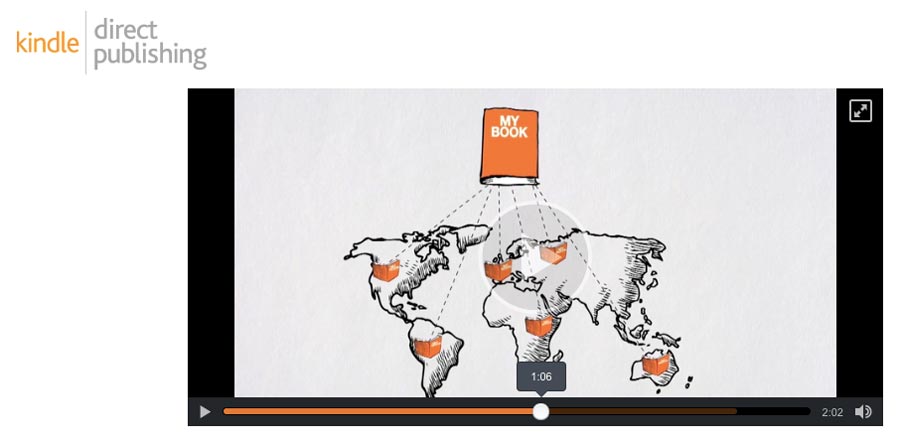
1. Publish Kindle Books
Today is the best time in history to become an author. If you’ve been dreaming about writing books for a living, then your dream could be closer than you think. The self-publishing revolution has made it possible for anyone to make a living by publishing books.
Since there’s a lower barrier to entry, this also means more competition. But, by writing the best book possible, and satisfying reader expectations, you can increase your chances of success.
When publishing your own Kindle books, every aspect of the publishing process is under your control. This means you’re responsible for writing, editing, formatting, getting a cover, uploading it to Amazon, writing your book description, and marketing it.
But, for all that extra work you get a bigger slice of the pie. Depending on your book’s price point, you can get as much as 70% of each sale.
Here are some tips to improve your success as a self-published author:
Do your market research. Make sure there’s a viable book market that isn’t too competitive but still has readers.
Write the best book possible and invest in a professional editor.
Invest in a high-quality cover and book description. These two elements work to sell your books.
Publish your books in a series and aim to dominate a given market.
Your success as an author is entirely under your control. Write the best book possible and build an email list of your ideal readers. The more you publish, the more you’ll learn, and the more money you can make.
2. Email Marketing
If you’ve been online for any time at all, then you’ve heard the expression, “the money is in the list”. This expression couldn’t be truer.
The sooner you start, the more people you will reach!
Think about how many emails you get in your inbox every single day. A lot of these are probably from email newsletters you’ve signed up for. Some you can’t wait to open every day, while others – you wonder how you got on their list.
Creating a niche email newsletter can be a great way to reach a targeted group of people and create a solid and sustainable business. Million dollar businesses like The Skimm have been built on the back of a daily email newsletter.
Best of all, starting an email newsletter doesn’t have to be difficult. With tools like ConvertKit, Drip, MailChimp, and Aweber, it’s never been easier.
Here’s the process for you to follow:
Decide upon a niche you’d like to serve, and the style of your emails;
Choose an email marketing provider;
Create a simple landing page and drive traffic to that page;
Send regular emails to that list.
The goal of your email list is to build trust, so they open your emails every day.
Once you have a sizeable list that opens your emails you have multiple ways to monetize that list like:
Selling your own digital products;
Offering a membership course;
Sending your subscribers to affiliate offers;
Selling sponsorships;
3. Freelance on Sites Like Upwork
There are a ton of freelance sites full of hungry clients who are looking for someone with your skillset. There’s more demand for freelancers than any time in history.
Some of the most popular freelancing sites include:
To succeed on these platforms it’s important to establish a niche. The worst thing you can do as a freelancer is brand yourself as a generalist. Since the competition is so high, you’ll want to brand yourself as the only solution to a specific type of client.
For example, are you a WordPress developer for SaaS companies, a cryptocurrency writer, or a startup founder ghostwriter?
With your niche established it’s time to build out your profile, create some relevant samples that show off your skills, and start pitching.
If you’re serious about making a living on platforms like Upwork, then spend some time digging through the site Freelance to Win. This site is dedicated to helping you become a highly paid freelancer.
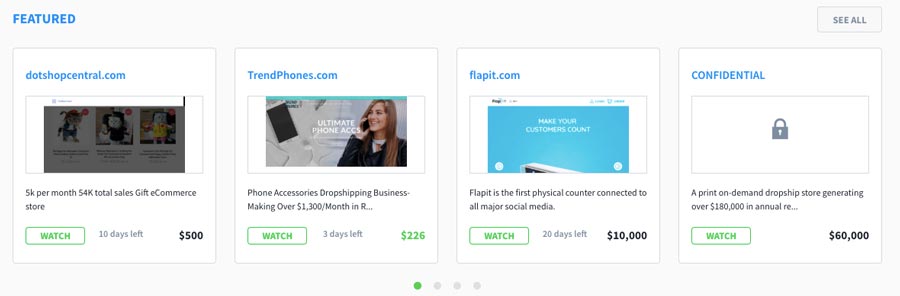
4. Buy and Sell Websites
The process of buying and selling websites is like the process of flipping homes. You buy a home that has untapped potential, fix it up, and sell it for a profit.
The process is pretty straightforward. But, just know that there is risk involved. So, don’t invest money in a site you can’t afford to lose.
We mentioned flipping websites above. But, did you know you can also flip domain names in the same way?
Buying and selling domain names for a markup is also known as domain flipping. You buy a domain name for a lower price, markup the domain, and see it for a higher fee.
Here’s a more in-depth overview of the process:
Use tools like Just Dropped and purchase unique domain names
Re-list the domain names
Wait for buyers
Sell and profit
Some people have been able to make hundreds or thousands of dollars per year employing this exact strategy. And you can start doing it here on Hostinger with our domain checker!
6. Sell Stock Photos and Footage
If you love to take pictures or recording footage, then you can make money off this passion.
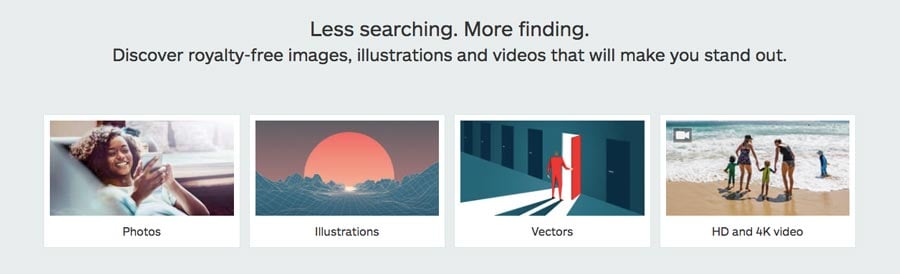
There are tons of sites that allow you to upload your stock photos and footage. These sites have huge user bases, and when someone licenses your photo, you get paid.
Some of the biggest stock photography websites include:
When creating your stock portfolio, spend some time browsing through the marketplaces above to find the most popular styles.
Then, create your own niche and upload as often as possible. The larger your portfolio the greater your chances of success.
Beyond making money with your photos and videos, using these sites can help to build a fanbase for your work as well.
7. Invest in Cryptocurrency
Cryptocurrency has been exploding in the past few years. Chances are cryptocurrency came on your radar last year with the huge Bitcoin peak. But, even if you didn’t invest in Bitcoin and other cryptocurrencies a few years ago, it isn’t too late.
BitDegree offers a wide variety of beginner-friendly cryptocurrency tutorials
By investing today you can still take advantage of being an early adopter.
Investing in cryptocurrency is a lot like any other form of investing, and there will be some risks involved. But, by taking the time to educate yourself you can make some sound investments that’ll pay off in the long-run.
The first step in your cryptocurrency adventure is to get your knowledge and skills up to speed. Bitdegree is a great resource that’s full of useful tutorials and courses that’ll get your cryptocurrency knowledge up to speed.
There are multiple approaches to earning money off cryptocurrency including:
Investing in coins before they IPO, or grow in value
Learning how to program and work with blockchain
Become a cryptocurrency writer
Getting a job at a cryptocurrency startup
Since cryptocurrency and blockchain technology are still in their infancy, it’s a great time to learn the necessary skills to position yourself for future success.
8. Sell Your Crafts on Etsy
Do you consider yourself a crafty person? If you specialize in making handcrafted goods, then you could make a nice living selling these goods online.
Etsy is one of the biggest platforms for selling your crafts, from unique iPhone cases, to brackets, rings, and more.
You can get started without a website or an online presence. They already have a large audience you can tap into directly. Plus, if you develop enough traction, then you can always transition over to your own self-hosted eCommerce store in the future.
To increase your chances of success keep the followings tips in mind:
Do your research to make sure there’s an existing demand for your creations on Etsy.
Consider how much time it takes to make each item. Is your time and material cost worth the price you’re charging?
Think about what makes your product stand out? You’ll want to have a unique style, while still hitting the expectations of your buyers.
9. Sell Your Products on Amazon (FBA)
Amazon is one of the biggest online retailers, with over a billion products currently listed on the site.
We already mentioned creating a niche eCommerce store above, and this approach is similar, but the core focus is on using the Amazon platform.
With this approach, you find products that are selling well on Amazon, and you source cheaper versions of those products. Then, you add your own branding and re-sell the products.
You have the opportunity to sell these products yourself or work with a manufacturer who will customize these products and dropship them to your buyers.
If this sounds interesting, then check out the resources below to educate yourself further:
YouTube is one of the world’s largest search engines. But, instead of searching for websites, people are looking for entertaining, fun, or informative videos.
You can monetize your YouTube channel by using their advertising system or sending your viewers to a website you’ve monetized in another way.
You can think of building a YouTube channel in a similar fashion to creating a website, except you’re creating video, not written content.
If you feel comfortable in front of the camera, and want to try your luck creating videos, then you’ll need to figure out what your channel will be about. Typically, there are two types of YouTube channels out there (that are successful at least):
Entertaining content. This style includes things like web series, comedy videos, pranks, reviews, video game walkthroughs, and a lot more.
Educational content. This style is more geared towards, ‘how to’ phrases. For example, ‘how to do SEO’. Or, ‘how to create a tomato garden’. If you have useful skills or information you want to convey through the video, then this is a solid option for you.
Once you’ve decided what kind of channel you’re going to start, it’s time to start creating. First, you’ll need to create a YouTube channel and think of a catchy name. Then, keep the following tips in mind:
Use a high-quality camera to record your videos;
Experiment with different styles, formats, and editing techniques until you find one that gets traction;
Optimize your video titles, descriptions, and images to get people to click;
Create a consistent video publishing schedule, so followers know when to expect your content.
11. Become a Virtual Assistant
If you’re great at planning and organization, then becoming a virtual assistant could work for you. A virtual assistant could be responsible for a wide range of tasks. For example, you could do general book keeping, data entry, email management, research, and a lot more.
Becoming a virtual assistant can be a great way to not only grow your income but network with important people as well. Not only that, but the market and need for VAs is exploding.
A lot of business owners are turning to virtual assistants, instead of hiring a full-time staff member.
Learning how to program can be a very valuable skill. Whether you’re looking to freelance with your skills or develop and build your own software.
When you know how to build software you can do things like building a consumer application, a niche web or mobile app, or even a mobile game. A lot of very successful businesses have been built on the back of software.
A lot of today’s software is built by large companies. But, if you look through the Google Play or Apple Store, you’ll find that a lot of the most popular apps have been built by people just like you.
If you’re looking to make money off your own software or apps, here’s an approach you can take:
Do market research to uncover a pressing need;
Build an MVP version of the software;
Get feedback from initial users and beta testers;
Integrate feedback and launch your first version to the world;
If building and selling your own software sounds to time-intensive, then you can profit off your programming skills right away by freelancing.
Spend some time digging through top freelancing platforms like Upwork and Freelancer and you’ll find a variety of gigs your skills are suited for. Or, you can visit the site Remoteok.io, which highlights a variety of remote programming positions you can apply to.
13. Tutor Kids Online
Teaching English and tutoring students around the world is a great way to make money online. If you’re from an English speaking country, then you already have the skills to succeed.
Do you have a good eye for design or what makes a good website or app? If so you can make money online by offering your feedback and testing for usability errors.
If you’ve spent a lot of time online, you probably have a good eye for what works and what doesn’t. For example, is their content unclear? Does the layout confuse you? Is the navigation menu too complex?
There are a number of sites that’ll actually pay you for this feedback. Usually, your feedback will be verbal, written, or use a screen recording software.
Some of the most common website and app feedback sites include:
Did you know you can actually get paid to build websites?
If you don’t have the development skills, then your first step is learning how to code. Once you have the skills, it’s time to start finding work.
Create a profile on sites like Upwork and Freelancer, and start pitching jobs.
To increase your chances of success it can be helpful to create a niche for yourself, and craft your profile and portfolio accordingly.
For example, maybe you want to build websites for real estate agents and property management companies. Or, you’d like to specialize in creating eCommerce websites that use WooCommerce and WordPress.
First, make sure there’s a verifiable need. Meaning there’s a lot of jobs posted for your specific skillset. Then, craft your niche web development business and start pitching relevant jobs.
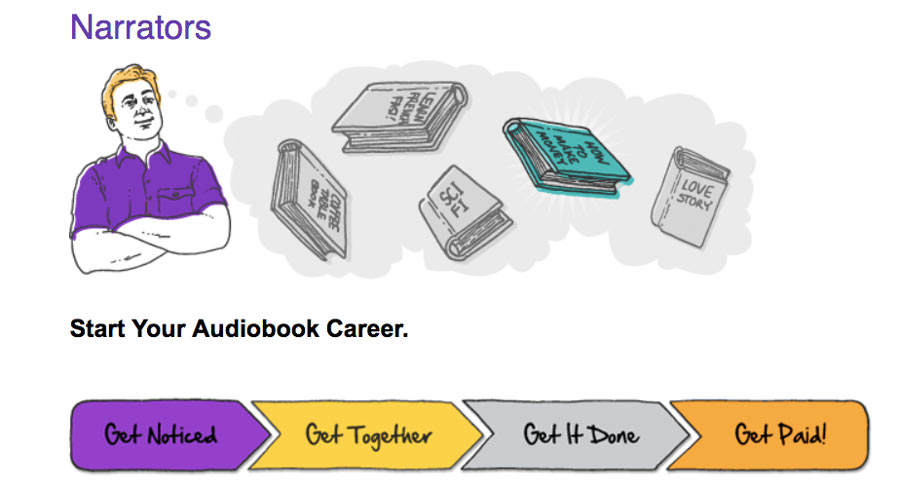
16. Narrate Audiobooks
The audiobook industry continues to grow. It seems more and more people prefer to listen to their content, instead of reading it. Still, most books never make it into audiobook format.
Which is funny, because audiobooks can be very beneficial for authors. Not only will they make more money from their books, but it’ll grow their presence too.
If you have a great voice, and love reading, then becoming an audiobook narrator could be in your future.
One of the easiest ways to get started is by signing up for ACX. This service connects audiobook narrators with authors.
Beyond signing up for the service above, you’ll also need to invest in high-quality microphone and recording software, and create some samples that show off your vocal skills.
If you want to expand your reach, you can also create a profile on Upwork and pitch audiobook narration jobs that you come across.
17. Become a Graphic Designer
If you have design chops, or you’ve always loved playing around with Photoshop and Illustrator, then you can use these skills to make some additional money online.
You can use the freelance platforms above, create a profile, and start pitching, or you can test your skills on a platform like 99Designs. On this site, you’ll compete with other designers for certain projects. If the client likes your design, then you’ll get the project and begin working.
Another way to get clients as a graphic designer is to go offline. Go to your local chamber of commerce, or spend some time walking around your town. Chances are you’ll see plenty of businesses who are in need of your graphic design skills. Whether it’s for a new logo, a brochure, or even company uniforms.
Another great local approach is going to your local co-working space. These are usually filled with startups and other companies who are in need of the design skills you have.
18. Become an Instagram Influencer
Instagram is one of the fastest growing social media platforms out there. But, did you know you can make money directly from Instagram, just by having a big enough following?
It’s becoming more difficult to build a large following on Instagram, but it can be a pretty easy way to make a nice living online. Large brands and other companies will actually pay you just to do a post about their company, or showcase one of their products.
Usually, how much you make per post will depend on the size of your following, and how engaged they are. But, you can expect to earn anywhere from a couple hundred to multiple thousands of dollars per post.
Building a sizable Instagram audience will take time, but if you love taking photos, don’t mind spending a lot of time on your phone, and are dedicated to posting regularly, then it’s worth a shot.
Here are a few resources for growing your account the right way:
Once you understand what it takes to rank a website it’s time to put your skills to the test. It does help to create a website where you can test your new SEO knowledge, but it’s not a necessity.
In fact, you can start getting clients right away.
The first approach involves using freelance sites like Upwork and Freelancer.com.
Or, you can also pitch your services to local businesses who are looking to rank in the search engines.
20. Manage Social Media Accounts
All of us are active on social media these days. But, did you know you could earn a living managing social media accounts?
If you’re already a social media power user, then you’re a step ahead. It’ll be much easier for you to convey your expertise and convince others to manage their accounts for a fee.
If you’re not, don’t worry.
There are a ton of educational resources like the Hootsuite Academy, which will educate you about the ins and outs of social media.
Once your knowledge is up to speed, it’s time to head back to the freelancing sites like Upwork and Freelancer to start pitching jobs.
If you’re looking to increase your chances of landing clients, you can use what you’ve learned to both brand and grow your social media management company.
21. Create a Podcast
If you’re drawn to speaking and sharing opinions, or love to conduct interviews, then podcasting can be a great medium for you to explore. The podcast market is exploding right now, which is a good thing.
Listeners love the portability of podcasts, and with most of us always on the go, it’s becoming one of the preferred ways to consume content.
To succeed with a podcast today you need to create something high-quality. This not only includes the quality of your audio, but also the quality of your content. To start, you need to invest in a solid microphone setup.
If you’re planning to do interview-style podcasts, then you should start reaching out to your guests. You might want to do a few mock interviews first with friends or family, so you can get your style down before your first real interview.
To get a better idea of the quality and topics standards in your space spend some time going through the top podcasts on iTunes. Listen to a handful of their episodes and see what quality indicators they have in common.
Do they tell incredible stories?
Do they use humor?
Do they have an interesting perspective?
Do they create unique interviews?
By learning from the best you’ll know what to include and what to avoid as you produce your own episodes.
With podcasting, the amount of money you can generate depends on the size and engagement of your audience. The larger your audience and more podcast downloads you have, the better your chances of earning a decent living.
Here are a few options for you to explore:
Sell your own products and services related to the topics you talk about;
Create a membership site or mastermind on the backend of your podcast;
Sell sponsorships, which you read aloud during episodes;
Open up your podcast for donations.
22. Become a Freelance Writer
If you like stringing words together, then making money as a writer can be a great way to get started earning money online.
Even with no experience you can start making money as a writer pretty quickly.
The first step is establishing your niche and deciding on the type of writing you’ll take on, for example:
Will you create in-depth blog posts for SaaS sites?
How about website copy for real estate agents?
Or sales emails for health and fitness websites?
There’s a near endless supply of content that needs writing. Your big decision is what kind of writer will you be?
Once you’ve discovered your niche it’s time to create some samples and start pitching clients.
The fastest approach is using freelancing platforms to find relevant clients. However, you can also create a few samples, upload them to sites like Medium, or LinkedIn.
If you’re serious about becoming a freelance writer, then check out the resources below:
If you have some design skills, then you can make money selling your designs. Sites like Society6 make it easy to upload your unique designs and sell them across a variety of items, like phone cases, t-shirts, tapestries, and a lot more.
Society6 gives you a chance to make money off your designs, without any money up front.
You create your own shop, upload your designs, and choose which items you’d like them displayed on. Plus, when someone orders an item off your store it’s shipped to them on-demand.
If you have designs that people love, then this can be a pretty passive way make to make money.
24. Do Micro Jobs
Micro-tasks are tasks that require human intelligence to complete. Even in the age of automation, there are certain tasks that still need a human touch.
These tasks are usually very simple and don’t require any technical skills. For example, you may be asked to review the search results for a given keyword, translate a paragraph into another language, or categorize the tone and feel of an article.
Micro jobs can be fun to complete and all you need is a computer and internet connection. The best place to sign up for these tasks is through Amazon Mechanical Turk.
Just sign up, create an account, and get paid to complete micro jobs.
25. Take Surveys Online
Taking online surveys probably isn’t the best way to earn an income online. But, if you’re looking for some quick cash and prizes, without having to take time to learn a new skill, then it could be worth considering.
Taking surveys is exactly what it sounds like. You take surveys online and get compensated with cash, coupons, prizes, and gift cards.
Usually, you’ll have to give them your demographic info so they can gain information about your background and interests, but after that, you can start earning right away.
Some of the most popular online survey sites include:
Just like offering freelance services, you can sell your knowledge and advice. If you’re an expert in a certain field, or you have some specialized knowledge then you can profit off your expertise.
Plus, you don’t have to go through the added time and effort of building your own website and platform.
There are sites like Clarity.FM, Savvy.is, and Coach.me which provide you with a potential network of clients who are seeking your knowledge.
Your earnings will be limited because you’re directly linked to the clock, but it can be a very fast and effective way to get started earning money online. All you need to do is create an account to begin sharing your knowledge and wisdom with others.